Essential Cabinet Vision Packages
Essential UCS - Add width to face frame stiles for scribe
Couldn't load pickup availability
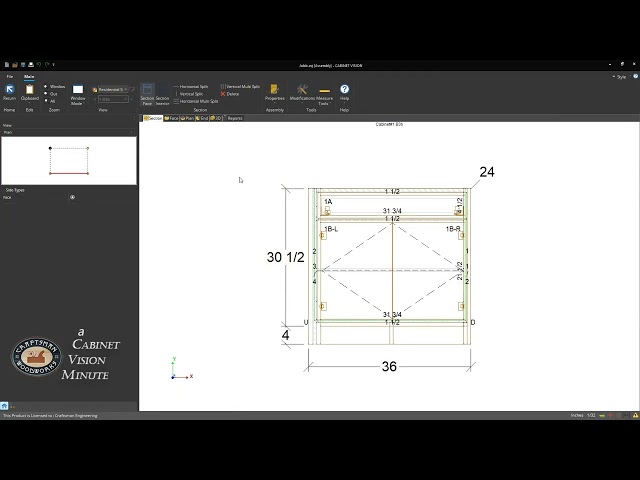
This UCS provides the means to add additional width to 'wall end' face frame stiles without changing the width of the cabinet or the intended width of the end stile. The additional 'cutting' width or scribe as most woodworkers might use the term, appears on cutlists and assembly sheets but does not appear on elevations or drawings.
You won't have to struggle with altering your drawings. And you won't have to struggle with 'burying' part of an oversized cabinet into the wall. This is a very elegant solution to a very common problem with allowing enough width on your wall end stiles for scribing your cabinets to irregularly shaped or 'uneven' walls without sacrificing needed width of the face frame.
To use this UCS, simply click on the wall end stile from the elevation or plan view in the cabinet section editor. Then answer "True" to enable the extra scribe and, if necessary, you can change the width of the additional scribe from the default of 1/2" ( 12mm ).
Watch the video below to see it in use.
WHAT'S INCLUDED
WHAT'S INCLUDED
This UCS - "CECS_Add FF scribe to end stiles" - is packaged as a Cabinet Vision setup package and it's contained in a ZIP file. The package is called "CECS Add FF scribe to end stiles.pkg" and it is the only file in the ZIP file.
Let customers speak for us
from 3 reviewsWe never use scribe molding. So, this is perfect for our shop because the way we install. Well done, Craftsman Engineering!
First off thank you for selling this package as it was well worth it! Just wanted to give fee back as requested. Ran a sample three drawer base cabinet to check accuracy . only adjustment I had to make was to deduct 2mm from the drawer bottom length connection in the drawer box construction schedule . all else was spot on but I'm sure you knew that or you would not have released it. I plan on using your services in the future.
Not only is the functionality of Cost Plus Bid Center well thought out, it is so comprehensive. Bruce has thought of everything. This has massively reduced the amount of time it takes to send out a bid, and given the functionality he has built into it, I can tailor it to exactly my needs and how we estimate jobs. What once took a solid 2 hours to draw up a complex cabinet package in order to bid it out, now takes minutes. Additionally, Bruce make himself available to help further customize and refine this tool for dumb-dumbs like me. If you want to streamline your business without sacrificing quality and accuracy, this tool is the bees-knees.
FAQ's
Q - What versions of Cabinet Vision is this made for?
A - This UCS was written using CV 2025.4. Although backward compatibility isn't guaranteed, it will likely work with versions back to CV 2021 and any subsequent versions.
Q - What does 'cutting' width mean in the description?
A - The definition of the term 'scribe' in Cabinet Vision isn't the same definition of scribe used commonly amongst woodworkers. I'm using the term 'cutting width' to describe the additional width needed to perform the type of scribe most of us in the trades use to mean the sacrificial material needed to cut and join a tight joint between wall and stile.
We never use scribe molding. So, this is perfect for our shop because the way we install. Well done, Craftsman Engineering!