Formerly named the Cost-Plus Bid Center, Essential Estimating for Cabinet Vision is a bundled collection of 28 essential rate tables, 4 custom Essential Shipping Reports, and the Essential Cabinet Catalog.
We've done all of the setup for you! Just download Essential Estimating for Cabinet Vision which is bundled with the Essential Cabinet Catalog and you can start estimating today. And here's the kicker...you don't have to draw any walls or cabinets in your estimating process!
The Essential Cabinet Catalog contains hundreds of easy-to-find cabinet configurations and essential cabinet accessory products. The fully extensible catalog is available as the Ultimate Edition for all Cabinet Vision projects.
THE MYTH OF ESTIMATING WITH CABINET VISION - If you've never used the Bid Center in Cabinet Vision because setting it up is overwhelming and confusing or because you thought you had to completely draw up a job BEFORE you could create an estimate for the job, you're not alone.
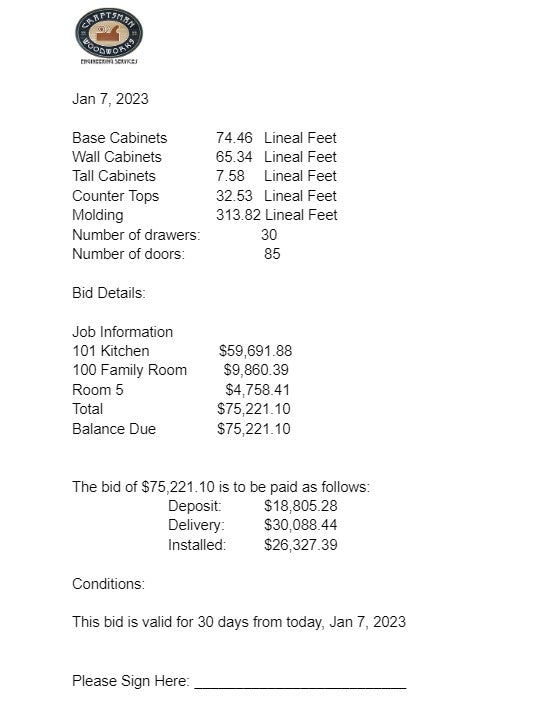
Just as Cabinet Vision models cabinet jobs in 3 dimensions, room by room, Cabinet Vision's Bid Center extends all of your work into the world of estimating commercial and residential cabinet jobs - including every phase of production, every minute of labor, every speck of material, all administrative costs and profit and overhead - from design to installation. With Essential Estimating for Cabinet Vision and the Essential Cabinet Catalog, you can create fast and accurate estimates with instant access to project costing reporting and break-even analysis reporting.
And the benefits of estimating custom cabinet jobs in Cabinet Vision don't stop with creating fast and accurate estimates. Managing Change Orders, for example, is a natural benefit of using Essential Estimating for Cabinet Vision. Ask us how to setup a Change Order Management workflow in your shop.
Essential Estimating for Cabinet Vision takes all the guesswork out of setting up your Cabinet Vision Bid Center so you can "hit the ground running" with custom cabinet pricing that includes every factor of production, every material, every department from the design department, through engineering, into milling and assembly, into finishing departments, and your shipping and installation departments, too.
Essential Estimating for Cabinet Vision takes advantage of Cabinet Vision's xBidding multiplier with a smart implementation of a "cost-plus" approach to estimating commercial cabinet jobs and residential cabinet jobs.
Essential Estimating for Cabinet Vision is best used on recent versions of Cabinet Vision including CV 2021, CV 2023, CV 2024, and CV 2025.